

Understanding Betano: A Guide for Nigerian Users
Discover Betano’s easy registration, diverse bets, and secure payments. Nigerian players get tips for safe betting plus top customer support 📲⚽️💰
Betano has become a popular platform for Nigerian sports betting fans who want easy access to football, basketball, and other favourite betting markets. Signing up and logging into Betano in Nigeria is straightforward, but knowing the right steps can save you time and stress. This guide breaks down the process clearly, helping you get started without hassles or delays.
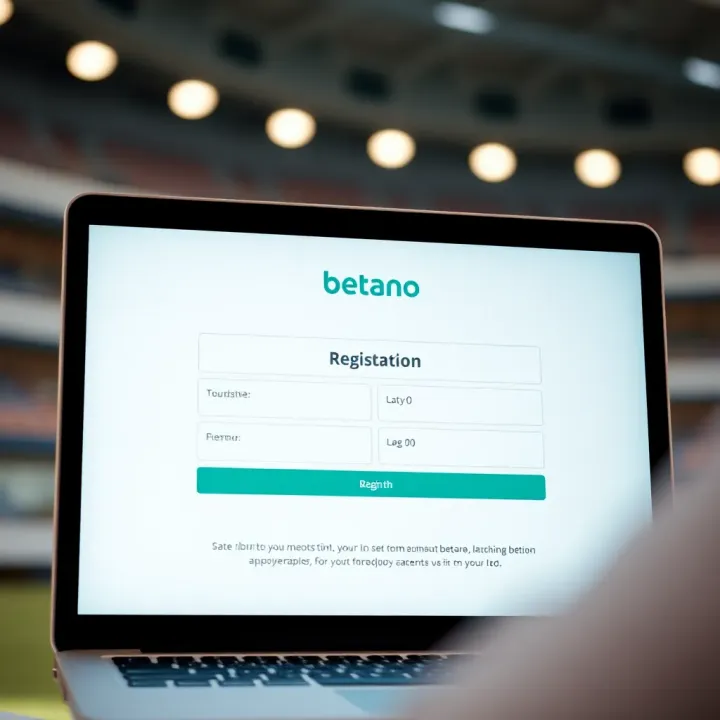
Creating your Betano account starts with a few simple details. Here’s what you need to do:
Visit the official Betano Nigeria website or app. Double-check the URL to avoid scams.
Click on ‘Sign Up’. This opens the registration form.
Enter your personal information. This includes your full name, date of birth, email address, and mobile number. Make sure these match your official documents to avoid verification issues later.
Set your username and password. Choose a strong password with a mix of letters, numbers, and special characters to keep your account secure.
Provide your Bank Verification Number (BVN). This is a mandatory step for Nigerian users to comply with local regulations and ensure secure transactions.
Agree to the terms and conditions. Read through them so you understand the betting rules and privacy policies.
After filling the form, submit it, and Betano will send a confirmation email or SMS. Click the activation link or enter the code to verify your account.
Logging into your Betano account works similarly whether you use a smartphone, tablet, or desktop:
Go to the Betano Nigeria official site or open the app.
Click or tap the ‘Login’ button.
Enter your username or email and password.
Complete any additional security steps like CAPTCHA or two-factor authentication if set up.
If you plan to bet on the go, the Betano app is optimised for mobile devices. It saves you from frequent logins and delivers faster access.
Tip: Keep your login details private and avoid using shared or public devices to minimise the risk of unauthorised access.
Betano requires identity verification before you can withdraw winnings. Nigerian users must upload a valid government-issued ID, proof of address, and sometimes a selfie to confirm their identity. Verification helps protect bettors and stops underage gambling.
Always use strong passwords and avoid repeating login details across multiple sites. Enabling two-factor authentication, if available, adds an extra layer of security.
If you forget your password, use the ‘Forgot Password’ link to reset it via your registered email or phone number. For blocked accounts or technical difficulties, Betano’s customer support can assist through live chat or email.
While connectivity hiccups due to network instability in Nigeria can occur, Betano's mobile app usually handles slow connections better than browser access.
By following these steps, Nigerian bettors can confidently sign up and log in to Betano, unlocking a seamless sports betting experience from anywhere in the country.
Starting your Betano journey begins with creating an account. This step is essential because it gives you access to all features, including betting markets, promotions, and secure transactions. Without a registered account, you can only browse the site but cannot place bets or enjoy bonuses.
To begin signing up, visit the official Betano Nigeria website. Using the correct site is crucial to avoid scams or fake platforms trying to steal your details. The official website is designed to load quickly and offers seamless navigation even on mobile networks common in Nigeria, such as MTN or Glo.
Once on the homepage, look for the 'Sign Up' button prominently displayed—usually at the top right corner. Choosing this option initiates your registration with Betano, taking you to the form where you will input your details. It’s your first real step into the betting world, so it's worth checking you are on a secure connection (look for HTTPS in the browser).
Betano requires certain personal information during registration. You'll be asked for your full name, date of birth, email address or phone number, and sometimes location details. These help verify your identity and ensure compliance with Nigerian gaming regulations. Providing accurate information helps avoid issues later, such as withdrawal delays or account restrictions.
Input your name exactly as it appears on your valid identification documents like your National Identification Number (NIN) card or driver’s licence. This consistency speeds up potential future verification. Your date of birth confirms you meet the minimum age requirement for betting, which is 18 years in Nigeria. Contact information like your phone or email is vital for receiving transaction alerts and promotional offers.
Setting a strong password is not to be taken lightly. Aim for a mix of letters, numbers, and symbols that you can remember. Avoid obvious choices like your birthday or simple sequences such as "123456". A strong password protects your funds and personal data from unauthorised access, especially since many Nigerians rely on shared or public Wi-Fi.
Finally, you may be asked to provide payment details. Betano accepts multiple options popular in Nigeria, including debit cards, bank transfers through local banks, or wallets like OPay and Paystack. Having your payment details ready smoothens the deposit process, allowing you to start betting without delay.
After filling in your details, Betano will send a verification code to your email address or phone. Confirming through this code confirms your contact information is active and valid. This step helps prevent fraud and ensures you get timely updates.
You will also need to accept Betano’s terms and conditions. Reading this document is important because it outlines your rights and responsibilities, including how to handle disputes or technical issues. Agreeing to these terms finalises your commitment to Betano’s platform.
Once all these steps are complete, you can click the final button to submit your registration. At this point, your Betano account is officially live, ready for you to log in, deposit funds, and start enjoying football bets, live games, and other sports options.
Registration is the key that opens the door to the full Betano experience, but it should be done carefully to avoid future hassles.
Logging in to your Betano account is a vital step if you want to place bets, check results, or manage your betting profile easily. Getting this right saves you time and keeps your account safe from unauthorised access. Whether you’re using a laptop at home or your mobile phone on the go, accessing your Betano account quickly and securely helps you enjoy the betting experience without hitches.
Visiting Betano via desktop browser
Using your desktop browser is one of the most straightforward ways to log in. You simply open your preferred browser (like Chrome, Firefox, or Edge) and type Betano Nigeria’s official web address. This method is ideal when you want to use a larger screen, perhaps to study game statistics or browse multiple markets at once. Desktop browsers also usually offer faster speeds and higher security settings compared to mobile browsers.
Using the Betano mobile app
For bettors who prefer action wherever they are, the Betano mobile app offers convenience and speed. Available for Android and iOS, it allows you to log in with just a few taps. The app is built to handle spotty network connections fairly well, which suits many Nigerian cities with fluctuating internet. Plus, real-time notifications keep you updated on live matches and promotions, which you might miss if relying solely on the desktop version.
Safe practices for logging in
Always ensure you log in through the official Betano channels—don’t just click links shared on social media or unknown websites. Use a strong, private internet connection and avoid public Wi-Fi spots like cafes or malls, where hackers might lurk. Also, log out after using a shared device to keep your account safe. Keeping your device’s antivirus software updated also helps ward off malware that targets your passwords.
Inputting username or email
Betano lets you log in with either your username or the email address you registered. This offers convenience depending on which you remember more easily. Just make sure to enter them correctly; a small typo could lock you out. For example, if your email is john.doe@gmail.com, don’t miss that dot or add extra spaces.
Typing your password securely
Your password is the key to your account, so type it carefully and avoid letting others see it. If you’re using a device in public, shield the screen while typing. Don’t use obvious passwords like your birth year or common words. Instead, combine letters, numbers, and symbols for strength.
Managing saved login information
On personal devices, saving your login details can speed up access, but only if your phone or computer is secure and private. Avoid saving passwords on shared devices or public computers. If you decide to save your login, regularly update your password to reduce risks.
Two-factor authentication options
Betano offers two-factor authentication (2FA) to add an extra layer of protection. When enabled, logging in requires not just your password but a code sent to your phone or email. This makes it tougher for scammers to break in even if they guess your password.
Recognising secure site indicators
When using a browser, always check for the padlock symbol in the address bar before typing your login info. This symbol confirms the connection to Betano is encrypted. Also, the web address should start with “https://” rather than “http://”. Avoid entering your details on sites without these indicators.
Handling suspicious login activity
If you ever notice strange activity on your Betano account, like bets you did not place or login alerts from unknown locations, act fast. Change your password immediately and contact Betano’s customer support for help. Regularly monitoring your account history keeps you ahead of fraud and lets you report issues early.
Logging in smoothly and safely to your Betano account means you can focus on betting confidently without worrying about security risks or technical setbacks. Follow these simple steps to stay in control and enjoy the full betting experience.
Verification is an important step before you can fully enjoy Betano’s services in Nigeria. It ensures the platform complies with local laws, keeps your account secure, and allows you to withdraw your winnings without fuss. Ignoring this process might lead to limitations or delays when using your account.
The Nigerian government takes online gambling regulations seriously to protect consumers and reduce fraud. Betano, aligning with these regulations, requires account verification to confirm the identity of bettors. This prevents underage gambling and ensures only eligible users participate. For instance, Betano must verify your details against the National Identification Number (NIN) or other valid IDs to operate legally.
Verification reduces the risk of unauthorised access. When your identity and documents are confirmed, it becomes harder for fraudsters to hijack your account. This protection is essential, especially as betting accounts often connect to your bank cards or e-wallets. In case of suspicious activity, Betano can quickly freeze or flag your account to prevent losses.
Before you can cash out any winnings, Betano needs to confirm where your money is going. Verifying your account means you’ve proven your identity, confirming you are the rightful recipient. Without this process, attempts to withdraw might be declined or delayed, causing unnecessary frustration.
Betano asks for a government-issued ID to prove your identity. The Nigerian National Identification Number (NIN) is widely accepted, but you can also submit your international passport or driver’s licence. These documents help confirm your name, date of birth, and nationality to avoid fake accounts.
Alongside your ID, Betano requires proof of your residential address. This can be recent utility bills, bank statements, or tenancy agreements dated within the last three months. Such documents verify your place of residence, which is often necessary for regulatory and tax reasons.
Betano makes it easy to upload scanned copies or clear photos of your documents via their website or mobile app. Ensure all details are visible and match the information on your account. Once submitted, the platform reviews them promptly. You may receive confirmation by email or notification when the verification is successful.
You can monitor your verification progress by logging into your Betano account and visiting the verification section. Here, you’ll find updates on whether your documents are pending review, approved, or if additional information is required.
Generally, verification takes between 24 to 72 hours, depending on the volume of submissions. Betano strives to process applications quickly but during peak times, like sports tournaments or ember months, it may take longer.
If your account verification is delayed beyond the usual timeframe, contact Betano’s customer support. Provide your account details and document submission timestamps. Often, delays happen due to unclear documents or technical glitches, which they can resolve swiftly. Meanwhile, avoid attempting multiple submissions to prevent confusion.
Completing your Betano account verification early saves you from hassles related to deposits, betting, and withdrawals. Taking time to prepare valid, clear documents and submitting them once improves your betting experience in Nigeria significantly.
When using Betano in Nigeria, encountering login or account problems can seriously disrupt your betting flow. Troubleshooting these issues promptly keeps your experience smooth and secure. Whether you forget your password or face a sudden lockout, knowing how to handle such problems prevents unnecessary stress and enables quick access back to your account.
Using the password reset feature is the simplest way to regain access if you forget your password. Betano provides a straightforward reset option on the login page, where you enter your registered email or username. This triggers a reset link sent directly to your inbox, serving as a secure step to verify your identity.
Steps after receiving the reset link involve clicking it promptly, which takes you to a secure page to choose a new password. It’s vital to complete this process quickly because the link usually expires after a short period. Ignoring the expiry might mean requesting a new reset, which wastes time especially if you want to place a quick bet.
Tips for creating a new secure password include mixing uppercase and lowercase letters, numbers, and symbols. Avoid easy patterns like your birth year or common words. For instance, combining parts of a favourite football club’s name with numbers and symbols increases your password’s strength. This lowers the risk of hackers guessing your credentials, especially in Nigeria where online fraud attempts can be common.
Reasons your account might be blocked vary from too many failed login attempts, suspicious activities, or unverified account status. Betano’s system sometimes locks accounts temporarily as a precaution against hacking or fraud, ensuring your funds and personal information remain safe.
Contacting Betano customer support is essential when lockouts last longer than expected or for issues beyond password problems. Betano offers several channels such as live chat, email, and phone support. When reaching out, provide your account details and explain the problem clearly to speed up resolution.
Preventing future lockouts involves setting strong passwords, enabling two-factor authentication, and regularly updating your device’s security software. Avoid shared devices or public Wi-Fi when accessing Betano. This caution is important in Nigeria, where public internet access points may be less secure.
Common error messages and causes include "incorrect password", "account not found", or "server timeout". These errors often relate to typos, outdated app versions, or server overloads during peak betting times like major football matches.
Clearing browser cache or app data can fix persistent login errors by removing corrupted files or outdated cookies. This refreshes your session and makes the site or app behave normally again. On mobile, clearing Betano app data is done via your phone’s settings under the apps section.
Checking internet connection and device compatibility matters because unstable or slow connections cause login failures. Make sure you have a reliable Wi-Fi or mobile data signal, and your device’s operating system is updated. Some older phones may not fully support the Betano app, so using the mobile browser could be a quick alternative.
Remember, staying calm and methodical in solving these common issues helps you return quickly to enjoying sports betting on Betano without disruption.
Discover Betano’s easy registration, diverse bets, and secure payments. Nigerian players get tips for safe betting plus top customer support 📲⚽️💰
Based on 14 reviews