
How to Register for Betano Mobile Lite in Nigeria
Register for Betano Mobile Lite in Nigeria 📱 Follow simple steps to start betting fast on your phone, complete verification, and enjoy smooth gameplay anywhere. 🎯
Edited By
Ngozi Adibe
Navigating online sports betting with an old mobile phone in Nigeria can be tricky. Thankfully, Betano Lite is designed to run smoothly even on devices with limited processing power and data capacity. This lighter version of the Betano app allows bettors with older or basic phones to register, place bets, and track their activities without lag or interruptions.
Older mobile phones often struggle with heavy apps due to slow processors and limited memory. Betano Lite minimises these challenges by using simplified features and a smaller data footprint. This is especially helpful in Nigerian cities where mobile internet can be patchy or expensive.
Before signing up, ensure your phone meets these minimum criteria:
Supports basic GPRS/3G connectivity
Has a compatible browser (like Opera Mini, UC Browser, or the default browser)
Possesses enough free internal storage (generally 50MB suffices)
Active Nigerian SIM with valid phone number for OTP verification
Registration is straightforward even on old phones. Here's a quick guide:
Open your mobile browser and enter the official Betano Lite web address.
Tap on the 'Sign Up' button clearly visible on the homepage.
Fill out the registration form with your full name, date of birth, and a strong password.
Enter your mobile number for OTP (One-Time Password) verification.
Input the OTP sent via SMS to confirm your number.
Set your preferred currency to Nigerian Naira (₦).
Tip: Make sure your phone has good network signal during OTP verification to avoid delays or errors.
After registration, you can log into your Betano Lite account to deposit funds, access betting markets, and place your wagers.
Since Betano Lite is web-based, it doesn't need installation. Simple features like quick loading odds, clear menus, and fast bet placement are optimised to keep your betting experience smooth. You won’t find heavy animations or video streams, but core functionalities remain intact.
Also, Betano Lite allows you to track live results and check bet history without draining your data or battery excessively. It’s an ideal companion for anyone determined to enjoy betting without upgrading to a new phone.
This guide next explains the step-by-step betting process on Betano Lite and how to troubleshoot common issues encountered on old phones.
For many Nigerians still using basic or older mobile phones, accessing modern betting platforms can be a challenge due to limited device capabilities and unstable internet connections. Betano Lite addresses this gap by offering a streamlined version that fits the realities of these users. Understanding what Betano Lite brings and why it suits older phones is essential before signing up and betting efficiently.
Betano Lite is a simplified online betting platform designed to deliver essential features without the heavy data usage and advanced graphics common in the full Betano app. While the main Betano app offers a wide range of live streaming, in-depth statistics, and colourful user interfaces, the Lite version focuses on core betting functions such as placing bets, checking results, and managing your account without unnecessary extras.
This approach means you won’t get some flashy animations or instant match video replays, but you can still enjoy popular markets like football, basketball, and tennis with ease. For example, a bettor using a Nokia phone from five years ago can still join live betting events or pre-match wagers without the app demanding much processing power or data.
The Lite platform is coded to work effectively on browsers with limited capabilities, such as Opera Mini or older versions of Internet Explorer Mobile commonly found on older devices. The interface uses minimal graphics and runs smoothly even on slower 2G or 3G networks prevalent in many Nigerian rural or suburban areas.
One critical factor is the reduction of background data requests. Unlike the main app, which constantly fetches live updates, Betano Lite refreshes only essential information. This design conserves data and reduces lag — a real advantage in Nigeria, where network fluctuations can cause frequent disconnections and frustration.
Moreover, the minimalistic interface suits small screens perfectly. Buttons are spaced adequately to avoid mistaps common on basic touchscreen phones or keypad devices. Navigation does not require multiple taps or swipes, making it friendly for users who may not be familiar with complex smartphone operations.
Betano Lite preserves the betting experience without demanding the latest smartphones or high-speed internet, opening opportunities for many Nigerians still on older phones or limited data plans.
In this way, understanding the strengths of Betano Lite helps Nigerian bettors make informed choices about accessing betting services without buying new devices or expensive data bundles. It is a practical solution tailored for the Nigerian betting landscape, where affordability and accessibility remain top priorities.
Registering on Betano Lite with an older phone in Nigeria requires some specific preparations to ensure the process runs smoothly. Since these phones have limited capabilities compared to modern smartphones, understanding and meeting these requirements helps you avoid frustrating glitches or failed registrations.
A steady internet connection is the foundation for signing up on Betano Lite without issues. Many older phones rely on 2G or 3G networks, which can be slower or unstable, especially in rural areas or during peak hours. To improve your experience, consider using USSD data bundles or affordable MTN Pulse or Glo Night Plan data packages, which often provide better rates and relative stability for basic browsing. If possible, connect via Wi-Fi from a local hotspot or home router—this helps reduce disconnections during registration. Keep in mind that fluctuations in network coverage may lead to incomplete form submissions, so patience and retry attempts are sometimes necessary.
Betano Lite requires accurate personal details before you can place bets. You should have your full name, date of birth, valid phone number, and email address ready. Nigerian users will also be asked to provide identification documents like a National Identification Number (NIN) or International Passport to verify age and identity. Having a scanned copy or clear photo of these documents saved on a memory card or accessible through your phone’s gallery will speed up verification. Make sure your details match exactly with official documents, as mismatches can delay account activation or cause outright rejection.
Older phones generally support basic browsers such as Opera Mini, UC Browser, or the default Java-based browsers. Betano Lite has been optimised to work well on these lighter browsers, but it’s important to check your browser version is up to date enough to handle HTML5 elements and secure HTTPS connections. If your phone is running an outdated browser, try updating it via the app store if available, or switch to Opera Mini, which is widely compatible and manages data efficiently. Avoid attempting registration on browsers known for poor web standards support, as this may freeze pages or cause functionality issues.
Ensuring your internet connection is steady, your personal details are ready and accurate, and your browser is compatible will make your Betano Lite registration on old phones straightforward and hassle-free.
By preparing these requirements in advance, Nigerian bettors using basic or tokunbo devices can join Betano Lite seamlessly and start enjoying its services without unnecessary hitches.
Signing up for Betano Lite on old mobile phones can seem tricky at first, but it's quite straightforward once you know what to do. This step-by-step guide is designed to help Nigerian users with basic or older devices get started smoothly without struggling with complex app installations or confusing menus.
Since old phones often cannot handle heavy apps, Betano Lite works directly through mobile browsers. To begin, open your phone’s default browser such as Opera Mini or UC Browser—both popular choices in Nigeria for low data usage. In the address bar, carefully type the Betano Lite URL. Make sure you avoid typos, as older phones display limited error messages.
If your internet connection is spotty — common in areas like rural Lagos or parts of the North — try loading the page during off-peak hours to improve speed. Betano Lite’s website is optimised for minimal data use and simple navigation, making it accessible even on a 2G network.
Once on the site, locate the 'Sign Up' button. The registration form requires basic information such as your full name, date of birth, phone number, and email address. Accuracy here is vital; for example, your phone number must be active because it’s linked directly to your account for verification and transactions.
Be mindful when filling your details: using an old phone’s small keypad might cause typing mistakes, so take your time to double-check. Also, create a strong password that you can remember but is hard for others to guess—combining numbers and letters without obvious patterns is a good rule.
After submitting your details, Betano Lite will send a verification code via SMS to the phone number you provided. Enter this code into the site as prompted. This step confirms you are the rightful owner of the phone number and helps prevent fraud.
Sometimes, SMS delivery can be delayed due to network issues, so if you don’t receive the code within five minutes, request a resend. Once your account is verified, you can log in and start exploring the platform immediately.
Remember, keeping your login credentials private is important for security. Avoid sharing your verification code or password with anyone to protect your account.
Following these steps ensures Nigerian bettors with older phones can join Betano Lite hassle-free. This guide addresses typical issues like browser choice and form filling to make registration a smooth experience despite hardware or network limitations.
Using Betano Lite on older phones in Nigeria can be very rewarding if done right. Since these devices often have limited processing power and smaller screens, learning how to navigate and interact with the app efficiently is key. This section explains how to manage the interface, place bets smoothly, and overcome common hurdles encountered on basic mobile phones.
Betano Lite’s interface is simplified for smaller screens, but even so, it requires some attention. The menu options are usually condensed into dropdowns or compact icons to save space. Understanding how to spot key areas like “Sports”, “Live”, or “My Account” quickly helps save time and avoids unnecessary screen reloads.
For example, on a 2.8-inch screen typical of older Nokia phones, scrolling should be slow and deliberate to avoid jumping over options. It helps to familiarise yourself with the location of buttons such as "Place Bet" and "Deposit" because repeated tapping on the wrong spot can use up precious data and battery. Also, Betano Lite uses text and icons sparingly, so reading labels carefully makes sure you don’t end up on unintended pages.
Once you get a hang of navigation, placing bets should be straightforward. Betano Lite’s design prioritises popular bets like football matches and on-going live events, which appear on the home screen. Instead of browsing through multiple pages, you can tap on a fixture, choose your betting option, and enter your stake.
To manage your account, regularly check your balance and transaction history under the "My Account" section. Betano Lite also supports fast deposits via Nigerian bank transfers, USSD codes, or fintech platforms like OPay and Paystack, which are less heavy on data.
Tips for smooth betting include:
Reload pages only when necessary
Avoid opening multiple tabs to reduce phone lag
Keep your internet connection stable, preferably on 4G or good 3G
Older mobiles face challenges like sluggish performance, limited memory, and occasional crashes. Betano Lite is optimised to work around such issues, but some difficulties persist.
Slow loading times happen if your network fluctuates. To fix this, use trusted networks like MTN or Airtel with steady coverage in your area. Switching off background apps also frees up memory.
Interface glitches may occur when the browser is outdated. Updating the browser or switching to lightweight ones like Opera Mini can help.
Accidental bets might happen due to screen sensitivity problems. Try adjusting touch settings on your phone or placing smaller stakes while getting used to the interface.
Practising careful navigation and managing data use wisely make Betano Lite a viable betting platform even on basic Nigerian phones. With patience, older devices can give a smooth betting experience.
In sum, the key to using Betano Lite effortlessly lies in knowing your phone’s limits and adapting your betting routine accordingly. With some practice, you can enjoy online betting conveniently without upgrading your device immediately.
Betano Lite offers Nigerian users a practical solution tailored to local realities, especially for those using older mobile phones with limited capabilities. Choosing Betano Lite means you enjoy a simplified betting experience without the heavy demands on data and device memory that full apps usually require. This section explains key benefits and considerations to help you decide if Betano Lite fits your betting needs.
One major advantage of Betano Lite is how it conserves data. In Nigeria, where data costs are still a concern for many, using a lite version helps reduce the daily load on your mobile plan. Betano Lite strips down the interface and prioritises text and simple graphics over large images or video streams, cutting data usage significantly. For example, if betting via a full app or website might consume up to 50MB per hour, Betano Lite can slash this to less than 10MB. This difference helps you save money, especially during ember months when expenses rise and internet access fluctuates.
Network reliability in many parts of Nigeria varies, with some areas experiencing frequent drops or slow speeds. Betano Lite is designed to cope with such fluctuations better than the standard app. It loads faster on 2G or 3G networks common outside urban centres and reduces delays when placing bets or checking account balances. For instance, while a heavy app might freeze or crash in a network drop, Betano Lite usually continues running smoothly. This resilience means you won’t miss out on last-minute bets during matches even if your connection isn’t top-tier.
Security is a key concern for bettors in Nigeria, especially with increased awareness about online scams. Betano Lite incorporates strong encryption standards to protect your data and transactions, similar to its full app counterpart. Additionally, it includes built-in prompts encouraging responsible gambling habits. The platform reminds you to avoid chasing losses and to set deposit limits, important in a market where betting addiction can lead to financial ruin. Always ensure you register with verified details and use trusted networks when accessing your Betano Lite account to keep your money and personal information safe.
Remember, while Betano Lite makes betting on older phones easier and cheaper, it also demands smart usage. Keep your app updated when possible, monitor your spending, and ensure your account details are secure to fully benefit from this service.
Choosing Betano Lite means balancing practical benefits—like data savings and better access—with maintaining security and betting discipline. For many Nigerian users, especially those with limited resources and older devices, this option makes sports betting more affordable and reliable without compromising safety or user experience.
Register for Betano Mobile Lite in Nigeria 📱 Follow simple steps to start betting fast on your phone, complete verification, and enjoy smooth gameplay anywhere. 🎯

🛒 Learn how to register and verify your Betano Shop account online in Nigeria. Get tips on safe betting, payment methods, and enjoy smooth betting with ₦ transactions!
⚽ Discover how to install and use MlLite Betano old mobile login APK safely in Nigeria. Get tips on login, features, troubleshooting, and enjoying betting with ease ₦
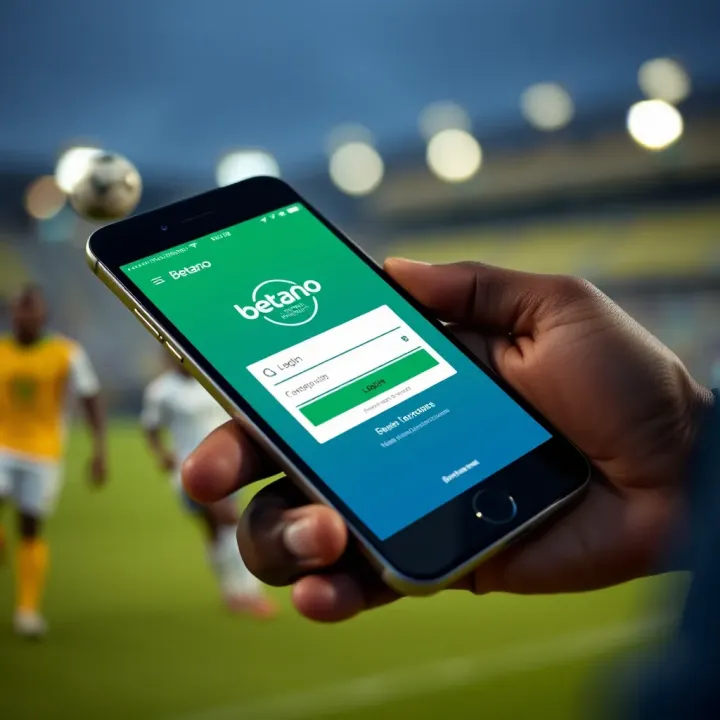
🎯 Discover how to join Betano Nigeria, log in easily, and download the app for smooth betting. Get tips on payment methods and mobile access for users in Nigeria 🇳🇬
Based on 6 reviews