
How to Download the Latest Betano App in Nigeria
📲 Download the latest Betano app in Nigeria with ease! Follow our step-by-step guide for Android & iOS, meet technical needs, stay safe, and enjoy local betting features. 🔒🎰
Edited By
Chinedu Eze
The Betano app has gained steady traction among Nigerian sports bettors, thanks to its user-friendly interface and competitive odds. But many users face a common headache: the app keeps crashing unexpectedly. This issue can turn a promising betting session into a source of frustration, especially when you're trying to place bets on tight schedules or live events.
Several factors can cause the Betano app to crash on your mobile device. These range from technical glitches within the app to device limitations and even network issues. Understanding these causes helps you take straightforward steps to fix the problem and get back to smooth betting.
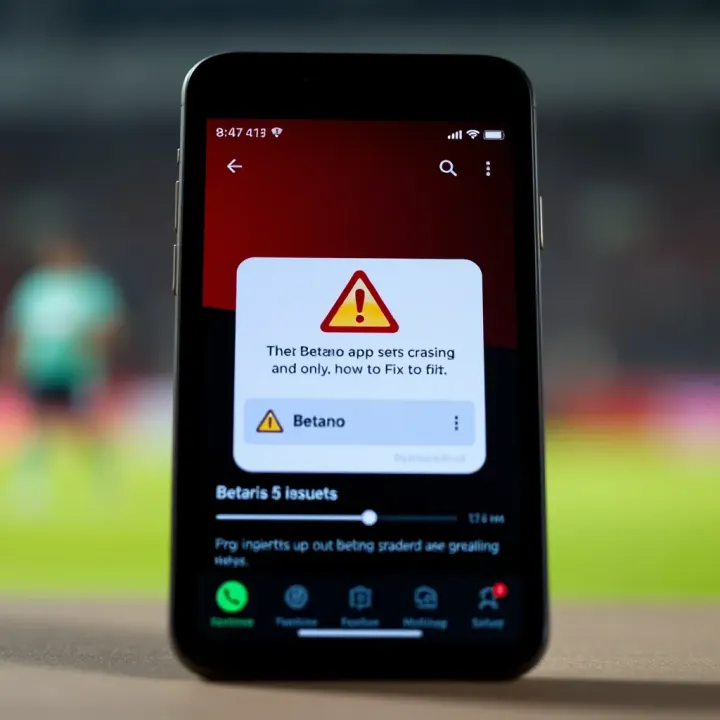
Frequent app crashes often result from outdated app versions or insufficient device memory, which disrupt the normal functioning of Betano's features.
Here are some main reasons why Betano might keep crashing and what you can do:
Outdated App Version: If you don’t update Betano regularly, you risk running an older version prone to bugs easily fixed in newer releases.
Lack of Storage or RAM: Nigerian smartphones, especially budget or tokunbo models, may have limited memory. Running multiple apps or storing large files can leave little space or RAM for Betano to operate properly.
Compatibility Issues: Not all devices support the latest Betano app features, particularly if your phone runs on an outdated Android or iOS version.
Network Connectivity Problems: Intermittent or slow internet via 3G, 4G, or unstable Wi-Fi can cause the app to freeze or crash during critical operations.
Background App Conflicts: Other apps running in the background might interfere with Betano’s performance.
This article will guide you through practical ways to solve these issues, helping you keep the Betano app stable on your phone. Whether it’s a simple update, clearing storage, or checking your data connection, you can regain control quickly without losing valuable betting opportunities.
Understanding why the Betano app crashes is key if you want to enjoy uninterrupted betting. Nigerian users, especially those who rely on mobile devices, must know the common reasons behind these crashes. This helps in quick diagnosis and fixing, rather than spending hours guessing or reinstalling the app blindly.
App developers often release updates to fix bugs, add features, or improve performance. However, not all updates run perfectly on every device. Sometimes, new versions introduce fresh bugs that cause the app to freeze or crash unexpectedly. For example, an update may clash with certain phone operating systems, leading to crashes for users in Nigeria who may be running older Android or iOS versions.
Beyond updates, some bugs linger in the app's coding. These errors can be due to overlooked mistakes during the app’s development or changes in external systems like payment gateways or sportsbook odds APIs. These glitches might cause the app to behave erratically, especially when users place bets quickly or switch markets. Since these errors are embedded in the app’s structure, they require the developers’ intervention to patch.
The Betano app requires a minimum operating system version to work smoothly. If your smartphone runs on an outdated Android or iOS, certain features may malfunction or the app may crash. For instance, a phone still on Android 7 might struggle with the app designed for Android 10 and above. Nigerian bettors should check their device OS and upgrade where possible to avoid incompatibility.
Older phones may lack the hardware strength to handle modern apps. Insufficient RAM or processing power can cause the Betano app to crash because it requires more memory and faster CPUs to manage live updates, graphics, and real-time betting data. A common scenario is users with older Tokunbo phones facing frequent freezes or force closures during peak betting hours.
Betano relies heavily on steady internet connections. A weak or unstable signal—common in some parts of Nigeria—disrupts data flow, causing the app to freeze or disconnect. If you are betting from a remote area or stuck in traffic with spotty 3G service, it’s likely the app will crash or lag frequently, impacting your betting experience.
Sometimes, network providers or local settings restrict app data usage. Firewalls or data-saving modes on your phone may block Betano from accessing all the data it needs. In some offices or public Wi-Fi spots around Lagos, firewall rules or proxy settings can interfere with betting transactions or live updates, triggering app crashes.

Phones juggle many apps running simultaneously. If other apps consume too much RAM or CPU—like social media or heavy gaming apps running in the background—they can starve Betano of resources, causing crashes. For example, switching quickly between Betano and a popular streaming app without closing either can lead to system instability.
Some security or antivirus apps get overzealous, flagging Betano’s data traffic as suspicious. This blocks parts of the app, leading to crashes or failed logins. Nigerian users who run third-party antivirus apps or security tools must ensure Betano is whitelisted to avoid such interference.
Knowing these causes helps you understand whether the issue lies with your device, network, or the app itself. Once identified, you can choose the right solution instead of guessing blindly.
Update your device OS regularly
Avoid running multiple heavy apps simultaneously
Use reliable internet connections, such as stable 4G or fibre
Install Betano only from official app stores to avoid faulty versions
Getting familiar with these common causes puts Nigerian bettors a step ahead in keeping the Betano app running smoothly and enjoying their stakes without interruption.
When the Betano app keeps crashing, taking clear steps to fix the problem is vital for a smooth betting experience. After all, Nigerian users rely on consistent access, especially during crucial matches or quick betting decisions. This section covers practical solutions that address both app and device issues, helping to restore stability.
Always update the Betano app via official platforms like Google Play Store or Apple App Store. These sources provide tested, authentic versions that receive regular fixes. Installing from anywhere else risks outdated or corrupted files causing constant crashes. For example, some users installed older Betano APKs from third-party sites and faced compatibility troubles with newer Android versions.
Sometimes, the app holds onto faulty temporary files that cause it to freeze or close unexpectedly. Clearing cache resets that data and often resolves performance hiccups. During reinstallation, deleting cached files lets the app start fresh. Nigerian users with limited storage find this especially helpful, as cache size can balloon unnoticed and slow down the device.
Low storage on your phone makes running apps like Betano tricky. The app needs room to process data and update odds in real time. Clearing unused photos, videos, or old apps frees up this space. For instance, a bettor in Lagos cleared 2GB from his device and noticed the Betano app stopped crashing during peak periods.
Multiple apps running in the background consume RAM, which Betano needs for smooth operation. Shutting down apps like social media or streaming platforms helps improve device responsiveness. This is particularly useful on entry-level smartphones common in Nigeria, where memory is limited and juggling tasks slows everything down.
Unstable internet often triggers app crashes when Betano fails to load live data. Switching between Wi-Fi and mobile data helps identify which connection works better at any given moment. Nigerians using mobile data might find certain areas have patchy signals, so Wi-Fi from home or office might give a steadier experience.
Slow download speeds or blocked ports by firewalls can interrupt Betano’s real-time functions, causing it to freeze. Testing data speed with apps like Speedtest helps gauge quality. Also, users on corporate or shared networks should check firewall rules that might restrict app traffic.
Running an outdated OS version can lead to compatibility issues with the Betano app. Regularly updating Android or iOS ensures your device supports the latest app features and bug fixes. Many Nigerian users delay OS updates due to concerns about data usage, but these often solve stability problems.
Some security or antivirus apps interfere with Betano’s functions, mistaking it for suspicious activity. Disabling or adjusting permissions for such apps can stop unwanted interruptions. For example, permission to access storage and network without restriction ensures the betting app works without hurdles.
Fixing Betano app crashes is mainly about combining proper app maintenance with keeping your device in good shape. Nigerian bettors who adopt these steps can enjoy uninterrupted betting even during busy match days.
Preventing Betano app crashes before they happen saves you stress and ensures uninterrupted betting activity. Knowing the right steps to shield your app from frequent breakdowns can keep your experience smooth, especially in Nigeria where network and device variability can be real hurdles.
Keep both your Betano app and device software up to date. App updates often include important bug fixes and performance improvements that directly tackle crash issues. For example, when Betano releases a patch to fix issues with the latest football season updates, installing it right away prevents breakages during live betting. Similarly, updating your phone’s operating system (Android or iOS) ensures compatibility. Running outdated software on any Nigerian-brand smartphone, tokunbo or new, invites glitches because the app may not interact well with legacy system files.
Your device’s storage and memory status affect app stability. Betano requires free space and sufficient RAM to perform well. In Nigeria, where phones may be loaded with multiple apps like Facebook, WhatsApp, and multiple betting apps, your device can easily run out of memory. Clearing out unnecessary files, old videos, and unused apps creates room for Betano to run smoothly. For instance, if you notice your device slowing down or the Betano app freezing during navigation, check storage — deleting unused offline music or movies stored from platforms like YouTube or MTN Music can help.
Stable internet is crucial for the Betano app especially during in-play betting or live scores updates. Nigerians often face fluctuating Wi-Fi or mobile data signals, particularly in crowded urban centres or rural areas. It’s wise to switch between home Wi-Fi or a trusted mobile network like MTN or Airtel when experiencing frequent disconnections. Avoid public Wi-Fi spots or heavily firewalled networks, which may block some app functionalities. Running a simple data speed test through popular Nigerian apps like OPay or Glo can give you a quick check on connection quality.
Only download Betano from official stores like Google Play Store or Apple App Store. Third-party or unofficial sources sometimes provide tampered versions, leading to crashes or exposing your device to malware. In Nigeria, the temptation to sideload apps from unknown websites for "quick fixes" or different versions is common but risky. Unofficial installations often lack the latest security patches and conflict with your device’s settings, putting your bets and personal info at risk. Stick with official platforms to maintain a secure, stable app environment.
Taking these practical steps not only cuts down on Betano app crashes but also improves overall device performance, making your betting experience smoother and more enjoyable in Nigeria’s varied digital landscape.
Knowing when to reach out to Betano customer support can save you a lot of headache, especially when the app keeps crashing despite your best efforts to fix it. Sometimes the problem isn't on your side but rather something Betano needs to address. For example, if you’ve tried updating the app, cleared cache, ensured good network connection, and still face crashes, it may be due to server issues or ongoing maintenance.
Not all crashes come from your phone or internet. Betano's servers can go down for maintenance or experience high traffic volume during major sports events, causing delays or crashes. Additionally, if there’s a bug in the app’s recent update, only Betano’s developers can fix it. These issues are beyond user control and contacting support helps alert them to the problem so they can act faster.
For instance, during the Nigerian Premier League finals, heavy traffic on the app might cause repeated crashes. Efforts like restarting your device won’t solve it. That’s the time to reach out for assistance.
Betano provides localised customer support channels for Nigerian users. The easiest way is through the app's in-built live chat feature, available during peak hours. Alternatively, Nigerians can use Betano’s official email or call their customer care hotline, usually listed on the app or website.
Given the importance of quick responses, try contacting them during Nigeria’s business hours (9 am to 5 pm WAT) for faster replies. Social media platforms like Twitter and Facebook also serve as support touchpoints, but they might take longer.
To get swift help, have the following details ready:
Your Betano username or registered phone number
Device model and operating system version
Detailed description of the problem (e.g., when crashes happen, what you were doing)
Steps you’ve already tried to fix the app
Screenshots or error messages (if any)
Internet connection type (Wi-Fi or mobile data)
Providing clear information can cut down the back-and-forth and get you back to betting quicker.
By knowing when and how to contact Betano support, and what info to provide, you reduce wasted time and frustration. This approach ensures that technical issues beyond your reach get proper attention from Betano’s team, particularly important for Nigerian users who rely on the app for seamless betting experience.
📲 Download the latest Betano app in Nigeria with ease! Follow our step-by-step guide for Android & iOS, meet technical needs, stay safe, and enjoy local betting features. 🔒🎰
🎯 Learn how to download and use the Betano app on Android in Nigeria! Get a simple guide, explore key features, stay safe, and enjoy hassle-free betting today. 📲

🎰 Discover Betano Aviator APK—easy to install and secure for Nigerian users. Enjoy smooth betting, local features, and trusted access. Stay safe, win big! 🇳🇬
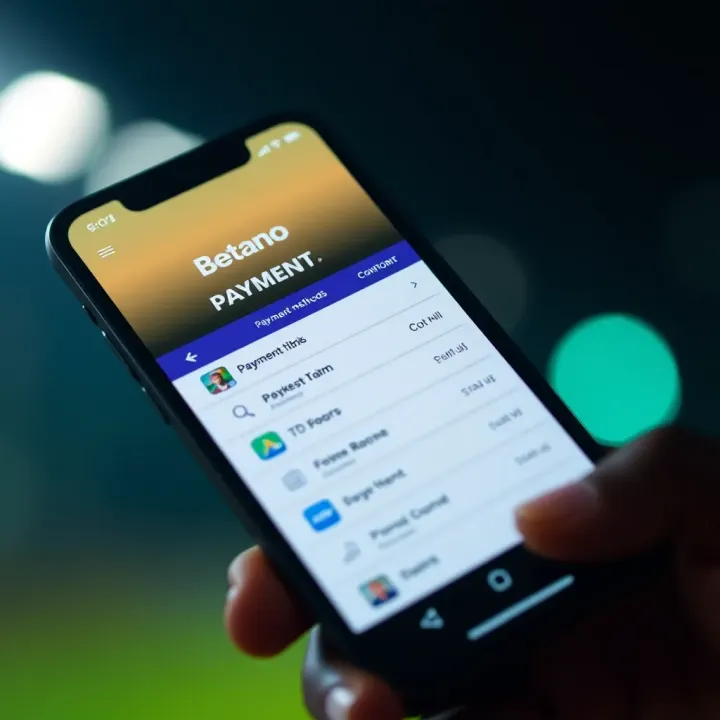
Fund your Betano account in Nigeria easily via bank transfer, card payments or mobile wallets like OPay. Get step-by-step tips, avoid common glitches & keep your ₦ safe 🔒
Based on 13 reviews